

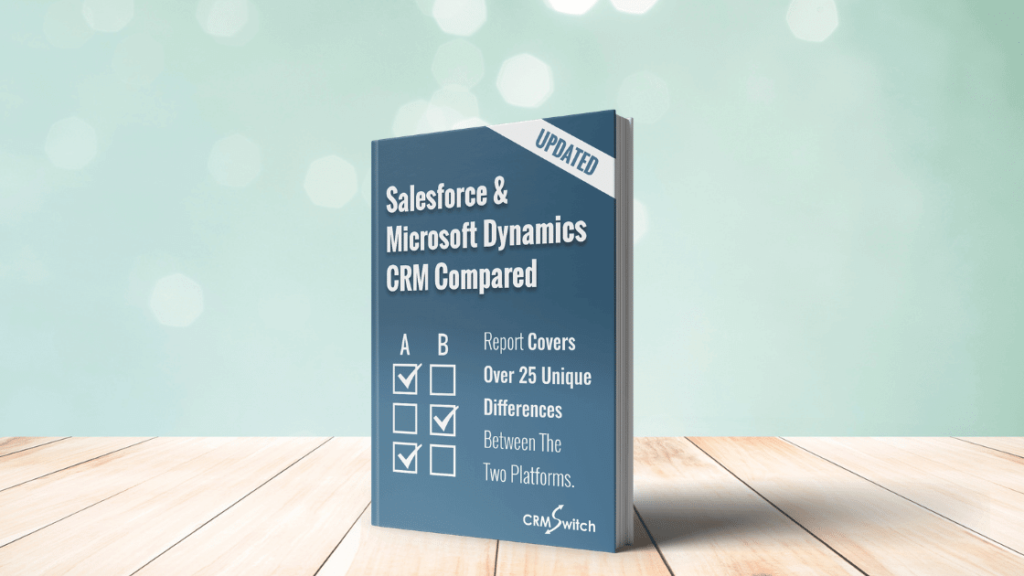
This is a fact-based comparison of Salesforce® and Microsoft Dynamics™ 365, updated for 2026.
For those who work for an organization that is moving toward a new CRM solution, the information below is a starting point.
While we have attempted as much as possible to keep this analysis a statement of facts, we expect that advocates for each solution will find areas that appear slanted in the direction of the other.
The analysis primarily focuses on out-of-the-box functionality. We have intentionally limited the number of references to third party products.
With continuous improvement to each product, and with both vendors now shipping AI features at a rapid pace, there will always be certain feature and pricing information that’s out of date. We will periodically update this post with the most recent information. Pricing below reflects published list prices as of mid-2026; always confirm current pricing on each vendor’s official pricing pages.
Company and Product Branding
While Salesforce, Inc. is the official company name (shortened from salesforce.com, inc. in 2022), the company and product are both publicly referred to as “Salesforce.” The company now brands itself as the “#1 AI CRM” and, more recently, the “Agentic CRM,” reflecting its heavy bet on Agentforce, its platform for autonomous AI agents. Sales Cloud is increasingly marketed under Agentforce-led naming, with a top-tier “Agentforce 1 Sales” bundle.
Microsoft Dynamics 365 (formerly Microsoft Dynamics CRM Online, renamed in 2016) is a family of individually licensed business applications: Sales, Customer Service, Field Service, Customer Insights, Finance, Supply Chain Management, Business Central, and more. “CRM” no longer appears in Microsoft’s product names; the customer-facing apps are collectively referred to as Customer Engagement apps. Microsoft’s AI layer across the suite is branded Copilot, with Copilot Studio as the low-code tool for building custom AI agents.
Company Backgrounds
Salesforce, Inc.
Salesforce was founded in 1999 by former Oracle executive Marc Benioff, and went public in June 2004. Salesforce was a pioneer in developing software as a service (SaaS), now commonly referred to as cloud computing. The company reports over 150,000 customers and holds the largest share of the global CRM applications market (roughly 20-24%, depending on the analyst firm), a position it has held for over a decade.
Beyond its early acquisitions (ExactTarget, Demandware, MuleSoft), Salesforce has made several major acquisitions in recent years: Tableau (analytics, 2019), Slack (collaboration, 2021), Own Company (data protection, 2024), and Informatica (data management, completed November 2025). The Informatica acquisition brings enterprise data catalog, integration, governance, and master data management capabilities to the Salesforce platform in support of its agentic AI strategy.
Salesforce, Inc. is traded on the NYSE under the symbol CRM.
Microsoft Corporation
Microsoft was founded in 1975 by Paul Allen and Bill Gates. Microsoft is best known for Windows, Microsoft 365 (formerly Office 365), and Azure, the world’s second largest public cloud. Azure and SQL Server-based technologies power the back end of Microsoft Dynamics 365, and the platform’s data layer is Microsoft Dataverse.
Microsoft’s notable acquisitions include LinkedIn (2016), GitHub (2018), Nuance Communications (2022), and Activision Blizzard (2023). Microsoft is also a major investor in and partner of OpenAI, and OpenAI models help power the Copilot AI capabilities embedded throughout Dynamics 365 and Microsoft 365.
Microsoft Corporation is traded on NASDAQ under the symbol MSFT.
Product Overviews
Salesforce
Salesforce only offers its product as a hosted, subscription model. It does not offer an on-premises version.
Salesforce remains a multi-tenant, shared-instance platform. However, the underlying infrastructure has changed significantly. With Hyperforce, Salesforce has re-architected its platform to run on public cloud infrastructure (such as AWS), enabling customers to choose data residency in specific geographic regions.
New Releases
Salesforce continues to ship three major releases each year, named for the season and year (for example, “Spring ’26”). For the most part, these releases are transparent with respect to existing customizations, and customers do not pay extra for them. Salesforce publishes extensive release notes on Salesforce Help in advance of each release.
Editions and Pricing
Salesforce’s sales product line is available in five editions. The Starter Suite can be billed monthly; other editions require an annual contract. Note that Salesforce raised list prices on most Enterprise and Unlimited plans by roughly 6% in 2025.
| Edition | Per User Per Month (List, Billed Annually) |
| Starter Suite | $25 |
| Pro Suite | $100 |
| Enterprise | $175 |
| Unlimited | $350 |
| Agentforce 1 Sales | $550 |
Salesforce has a variety of other products, including:
- Service Cloud
- Marketing Cloud (including Account Engagement, formerly Pardot)
- Commerce Cloud
- Data 360 (formerly Data Cloud), Salesforce’s customer data platform
- Agentforce (autonomous AI agents, largely usage-based pricing)
- Slack
- Tableau and CRM Analytics
- MuleSoft (integration)
- Revenue Cloud (successor to CPQ)
- Industry Clouds (Health, Financial Services, Nonprofit, and others)
Some products are alternatives to Sales Cloud, while others, such as Data 360, Agentforce, and Revenue Cloud, are added on top of it.
Salesforce’s nonprofit program continues to provide free and/or deeply discounted licenses to qualifying organizations such as 501(c)(3) corporations.

Microsoft Dynamics 365
Microsoft’s cloud offering, Dynamics 365, is the focus of this comparison. (An on-premises version of Dynamics 365 Customer Engagement still exists, but Microsoft’s investment is overwhelmingly directed at the cloud product.) Dynamics 365 runs on Microsoft Azure, with customer data stored in Microsoft Dataverse, which provides logical data isolation per tenant.
New Releases
Microsoft delivers two major “release waves” each year. Wave 1 begins in April and Wave 2 begins in October, with ongoing service updates in between. Detailed release plans are published months in advance, and customers can enable early access to preview upcoming features. Customers do not pay extra for new releases.
Editions and Pricing
Dynamics 365 pricing still depends on whether an app is a user’s first (“base”) or subsequent (“attach”) qualifying Dynamics app.
For the first Dynamics app (for a user), list pricing is as follows:
| Edition | Per User Per Month (List) |
| Sales Professional | $65 |
| Sales Enterprise | $105 |
| Sales Premium | $150 |
| Microsoft Relationship Sales (Sales Enterprise + LinkedIn Sales Navigator) | Quote-based |
If a user already has a qualifying Dynamics 365 base license, additional qualifying apps can be attached at $30 per user per month. Team Members licenses, for light or read-only access, are $8 per user per month. Sales Premium, which carries a 10-user minimum, bundles the Sales Insights AI suite, and Copilot capabilities are included across the Sales apps to varying degrees by tier.
Microsoft’s Dynamics 365 Licensing Guide, updated regularly, explains licensing in detail.
Data Centers, Infrastructure and Status
Salesforce
With Hyperforce, Salesforce has been migrating customers from its legacy first-party data centers to public cloud infrastructure. This allows customers to select the region where their data resides, which is important for data residency and compliance requirements. Salesforce publishes security, compliance, and real-time system status information on its Trust site and at status.salesforce.com.
Microsoft Dynamics 365
Microsoft Dynamics 365 is powered by Microsoft Azure, the second largest public cloud provider, with more than 60 announced regions worldwide. Microsoft invests billions of dollars annually in cybersecurity. Data center capabilities include:
- Physical and access security: perimeter controls, multi-factor access, and around-the-clock monitoring, with employee access restricted by job function.
- Resilience: redundant power, geo-redundant regions, and availability zones designed to prevent single points of failure.
- Compliance: an extensive certification portfolio including ISO 27001, with details published on the Microsoft Trust Center.
- Guaranteed uptime: a financially backed 99.9% uptime SLA for Dynamics 365 online services.
Mobile Device Support
Salesforce
The Salesforce Mobile App is available for iOS and Android. Lightning apps, record pages, and custom components built on the platform carry over to mobile, and administrators can tailor mobile navigation and layouts.
Microsoft Dynamics 365
Microsoft offers Dynamics 365 mobile apps for iOS and Android, including a dedicated Dynamics 365 Sales mobile experience. The apps can be configured to display specific forms, fields, and tables, including custom tables. Because Dynamics 365 is built on the Power Platform, model-driven apps and custom Power Apps also run on mobile devices.
Third Party Ecosystem
Sometimes, business requirements necessitate functionality that is only offered by third parties. Both Microsoft and Salesforce allow third-party applications to run natively on their platforms.
Salesforce
Salesforce manages the AppExchange, one of the largest enterprise software marketplaces, with thousands of listed apps and components. All applications must pass a security review. In 2025, Salesforce also launched AgentExchange, a marketplace for prebuilt Agentforce agents, actions, and templates from partners.
Microsoft Dynamics 365
Microsoft’s marketplace is Microsoft Marketplace (formerly AppSource), which spans Dynamics 365, Power Platform, Microsoft 365, and Azure. Copilot Studio agents and Power Platform connectors extend the ecosystem further, with hundreds of prebuilt connectors to third-party services.
Sales & Delivery Channels
For organizations that are considering both vendors, the way each product is sold factors into the evaluation and buying process.
Salesforce
Salesforce is sold directly via Account Executives and other named sales roles. Account Executives normally team up with a Salesforce consulting partner when implementation services are requested. Published list prices function as anchors; meaningful discounts are common in larger, multi-year, multi-cloud deals.
Microsoft Dynamics 365
Dynamics 365 is sold primarily through Microsoft’s Cloud Solution Provider (CSP) partner channel, direct Microsoft sales teams for major accounts, and Enterprise Agreements for large organizations. Partners earn margin on subscription sales, which shapes a robust reseller and implementation ecosystem.
Implementation Partner Selection
Selecting the right partner can be as important a decision as selecting the right vendor. Increasingly, CRM implementation partners specialize in specific industries, such as healthcare & life sciences, financial services, manufacturing, software, and non-profit.
It’s important to find the right partner in terms of skills, responsiveness, geography, and approach. In the end, it’s the partner that you will hold responsible for making your organization’s CRM dreams come true.
While CRM Switch does not provide CRM implementation services, we have a network of reputable Salesforce and Microsoft partners we’ve teamed up with.
Login and Identity Security
Data breaches remain at the forefront of IT executives’ minds, and both vendors have significantly tightened identity requirements in recent years.
Salesforce
Multi-factor authentication (MFA) is contractually required for all Salesforce users and is auto-enabled on orgs. Supported verification methods include the Salesforce Authenticator app, third-party TOTP authenticator apps, and physical security keys; SMS and email codes are no longer accepted for MFA.
Salesforce supports single sign-on via SAML and OpenID Connect with identity providers such as Microsoft Entra ID and Okta, as well as configurable password policies, login IP ranges, and login hours per profile.
Microsoft Dynamics 365
Dynamics 365 users sign in with Microsoft Entra ID (formerly Azure Active Directory) accounts, the same identity used for Microsoft 365. Administrators can enforce MFA and Conditional Access policies (for example, restricting access by location, device compliance, or risk level). Microsoft has been rolling out mandatory MFA across Azure and admin surfaces, and security defaults enable MFA for tenants out of the box.
UI & Navigation
The UI transitions described in the original version of this post are complete. Salesforce Lightning Experience is the standard interface (Salesforce Classic still exists but receives no new features), and Microsoft’s Unified Interface fully replaced the legacy Dynamics web client in 2021.
Salesforce
Salesforce displays objects as tabs across the top of the screen. Groups of users in similar roles can have their own sets of tabs, defined by “Apps.” The App Launcher displays the apps available to a user. When a tab is clicked, the default list is Recently Viewed records for that object. A global search box sits at the top of the window; it is now enhanced with Einstein Search, which personalizes results and supports natural language filtering.
Within each record, a Details tab displays fields for the current record, and a Related tab displays snippets of child records. Activity information appears in a separate panel, and Lightning record pages can be tailored with drag-and-drop components, including AI-generated summaries for users with Einstein features enabled.
Microsoft Dynamics 365
Dynamics 365 apps (such as Sales Hub) use a vertical left-hand navigation bar with grouped areas for entities (now called “tables” in Microsoft’s Dataverse terminology). Users can pin views, see recently viewed records, and create records from anywhere via a global command. Related records within a record are presented as tabs and subgrids, and an embedded Copilot pane lets users ask natural-language questions about their data, summarize records, and get caught up on changes without leaving the app.
Variable Screen Layouts
At some organizations, not all users should see the same set of fields or have the same choices when editing a given record. Variable screen layouts allow for enhancing and restricting layouts on a per-role or even per-user basis.
Salesforce
In Enterprise Edition and higher, screen layouts vary by user based on the page layout assigned to that user’s profile for a given object. Lightning record pages add another layer: component visibility rules can show or hide components based on user, device, or record criteria. Record Types can be associated with specific layouts and can dictate which picklist values or sales processes apply. Salesforce’s newer Dynamic Forms feature allows field-level visibility rules directly on the record page.
Microsoft Dynamics 365
Dynamics 365 supports multiple forms per table, with form access controlled by security role. Different users can see different sets of fields based on their functional roles. Business rules can also dynamically show, hide, or require fields based on data conditions.
Example Use Case: Variable Layouts
A scenario for variable screen layouts is when only customer service users should have visibility to a customer’s credit limit and other financial information.
During the CRM planning phase, CRM Switch works with each department to ensure the selected system will provide only the information they need, formatted in the best way for viewing and editing.
Point & Click Configuration and Customization
Salesforce
An administrator can add new fields to an object via point-and-click. Field types include Auto Number, Formula, Roll-up Summary, Lookup Relationship, Checkbox, Currency, Date, Date/Time, Email, Geolocation, Number, Percent, Picklist, Multi-Select Picklist, Text, Encrypted Text, Long and Rich Text Areas, Time, and URL. Custom objects can be added with lookup or master-detail relationships, and many-to-many relationships are built with junction objects.
Microsoft Dynamics 365
In Dynamics 365, customization happens in the Power Apps maker portal against Dataverse. Administrators and makers can add columns of many types, including text, choice (option set), yes/no, image, file, whole number, decimal, currency, date and time, and lookup. They can also create custom tables with one-to-many, many-to-one, or many-to-many relationships, including configurable cascading behaviors. Because Dataverse underpins the whole Power Platform, custom tables are immediately available to Power Apps, Power Automate, and Power BI.
Example Use Case: Customer Surveys
One example of a custom object or table is Customer Survey Results. Let’s say you want to include a satisfaction survey link in each customer service “case closed” email. The link goes to a survey page.
Customer survey responses are stored in a custom table or object in CRM that’s linked to the Account. This means visibility and reporting across all accounts and survey responses.
Advanced Development & APIs
Salesforce
In Enterprise Edition and higher, Salesforce supports advanced customization using Apex (its proprietary server-side language) and Lightning Web Components (LWC), a modern JavaScript framework that has superseded both Visualforce and the original Aura components for new development. Development tooling has moved from the retired Eclipse IDE to Salesforce DX, the Salesforce CLI, VS Code extensions, and browser-based Code Builder. These tools are now augmented by Agentforce for Developers, an AI coding assistant.
Salesforce offers REST, SOAP, Bulk, Metadata, GraphQL, and streaming and event APIs (Platform Events and Change Data Capture). Sandboxes are included with Enterprise Edition and higher, with full and partial-copy sandboxes available at additional cost.
Microsoft Dynamics 365
Dynamics 365 development centers on the Dataverse Web API (OData/REST), .NET plug-ins for server-side logic, JavaScript for client-side form scripting, and the Power Apps component framework (PCF) for custom UI controls. Visual Studio and VS Code are the standard tools, with GitHub Copilot widely used for AI-assisted development.
Low-code extensibility is a major differentiator: Power Platform (Power Apps, Power Automate, Power BI, Power Pages, and Copilot Studio) shares the same Dataverse data layer as Dynamics 365, and Power Automate offers hundreds of prebuilt connectors to external systems.
Search & Views
Salesforce
Salesforce global search parses text and several other field types across standard and custom objects, with results grouped by object and filterable by admin-defined fields. Einstein Search adds personalization (results ranked by what a user is actually working on) and natural-language queries, such as “my open opportunities this quarter.” List Views provide multi-condition dynamic filtering within an object, and reports handle cross-object filtering.
Microsoft Dynamics 365
Dataverse search (relevance search) is now the default global search experience in Dynamics 365. Unlike the old quick find, it searches across multiple tables at once, matches words anywhere in a record without wildcard characters, and ranks results by relevance. Copilot extends this further, letting users ask questions about their data in plain language. Advanced Find capabilities live on in the modern “edit filters” experience, which supports complex multi-table queries and lets you save them as views.
Duplicate Detection and Merge
Salesforce
In Salesforce, duplicate rules work in conjunction with matching rules to prevent users from creating duplicate records. A matching rule determines whether a record is similar enough to others to be considered a duplicate; a duplicate rule tells Salesforce what action to take (alert, block, or report). Custom rules can be created, and a user can merge up to three matching records via a compare-and-select interface, with the losing records going to the Recycle Bin.
Microsoft Dynamics 365
In Dynamics 365, duplicate detection rules are definable by an administrator and run when records are created, updated, or imported, as well as via scheduled background jobs across a table or subset of records. Duplicate detection works with custom tables, and two records can be merged with a compare interface, with the losing record deactivated.
Workflow & Processes
Process automation can enforce company procedures and standards and improve productivity. Both vendors have consolidated their automation tooling since this post was first written.
Salesforce
Salesforce Flow is now the single automation tool. Workflow Rules and Process Builder have been retired, meaning new automations can no longer be built with them, and Salesforce provides migration tools to convert legacy automations to Flow. Flow Builder is a visual, drag-and-drop environment that supports record-triggered, scheduled, screen, and autolaunched flows, with Einstein able to generate flows from natural-language descriptions. Agentforce extends automation further, with AI agents that can reason over data and take multi-step actions.
Microsoft Dynamics 365
Dynamics 365 automation has consolidated on Power Automate cloud flows, which have replaced classic Dynamics workflows for new development. Business process flows remain a distinctive Dynamics capability: they define staged, cross-table processes (for example, Lead to Opportunity to Quote) with a visual progress indicator, stage gating, and role-based assignment, built in a drag-and-drop designer. Copilot Studio adds AI agents that can automate conversations and multi-step tasks across Dynamics 365, Microsoft 365, and external systems.
Reporting, Dashboards & Analytics
Salesforce
Salesforce report creation begins with a Report Type (standard or custom), and custom report types support up to four related objects for cross-object reporting. The Lightning Report Builder is drag-and-drop and includes filters, groupings, formulas, and associated charts. Reports can be scheduled and emailed, and dashboards are customizable and refreshable, with dynamic dashboards showing data as the viewing user.
For deeper analytics, Salesforce offers CRM Analytics and Tableau, as well as a native forecasting module with quota tracking. Einstein adds AI-generated insights, predictions, and conversational data exploration in Tableau.
Microsoft Dynamics 365
Dynamics 365 includes charts, configurable real-time dashboards per app and table, Excel integration (static exports, dynamic worksheets, and pivot tables), and a legacy Report Wizard. The centerpiece of Microsoft’s analytics story, however, is Power BI: interactive Power BI reports and dashboards can be embedded directly into Dynamics 365, and for many organizations, Power BI is already included in, or can be added cheaply to, an existing Microsoft agreement. Copilot in Power BI allows report generation and data questions in natural language.
Email Integration
Sales users, in particular, spend much of their day in email, so it’s important to assess how a prospective CRM integrates with a company’s standard email client.
Salesforce
Salesforce provides the Outlook Integration and Gmail Integration add-ins, which surface Salesforce records inside the inbox and allow emails and events to be logged to records. Einstein Activity Capture automatically syncs emails and events from Microsoft 365 or Google Workspace accounts and associates them with related Salesforce records. The legacy “Email to Salesforce” BCC address also remains available.
Microsoft Dynamics 365
Dynamics 365 integrates with Outlook via the Dynamics 365 App for Outlook, enabling server-side synchronization of email, appointments, contacts, and tasks, automatically or manually. Because Microsoft owns the whole stack, the integration is deep: Copilot can draft replies using CRM context, summarize email threads, and update Dynamics records from within Outlook, and Teams meetings can be transcribed and analyzed with conversation intelligence tied back to CRM records.
Email Templates and Merge
Salesforce
Salesforce supports classic and Lightning email templates with merge fields, list emails to multiple recipients, and sends through Salesforce servers or connected Outlook and Gmail accounts. Einstein can generate and personalize sales email drafts. Daily external email limits apply (5,000 per org per day via Salesforce servers).
Microsoft Dynamics 365
In Dynamics 365, email templates can be created by users or administrators and used from within the app or from Outlook. Templates support dynamic fields with CRM data, and Copilot can draft and personalize customer emails using record context.
Microsoft Office / Document Generation
Salesforce
Salesforce continues to rely primarily on third-party AppExchange applications, such as Conga Composer and Nintex DocGen, for merging CRM data into Word, Excel, PowerPoint, and PDF documents.
Microsoft Dynamics 365
Dynamics 365 natively supports Word templates for document generation and Excel templates and exports (static, dynamic worksheet, or pivot table) with refresh-on-open for dynamic workbooks. Integration with SharePoint provides document management on CRM records.
Data Import Tools
Salesforce
The Data Import Wizard handles common objects including Leads, Accounts, Contacts, and custom objects. Data Loader, available with Enterprise Edition and higher, imports into any object, offers a GUI and a command-line mode, and handles larger volumes. Data 360 and MuleSoft address larger-scale integration and unification needs.
Microsoft Dynamics 365
Dynamics 365 offers an import wizard for any table, plus Power Query-based dataflows for repeatable, transformable imports into Dataverse from a wide range of sources. Azure Data Factory and Microsoft Fabric address enterprise-scale data integration.
Web Lead Capture
Salesforce
Salesforce’s Web-to-Lead wizard generates form code based on selected Lead fields, which can be added to any website. Marketing Cloud Account Engagement (formerly Pardot) provides more sophisticated form handlers, landing pages, and progressive profiling.
Microsoft Dynamics 365
Lead capture is handled through Dynamics 365 Customer Insights Journeys, which includes a form designer for marketing and lead capture forms that write directly to Dataverse, and through Power Pages for building full external-facing sites and portals.
Email Marketing and Marketing Automation
Salesforce
Salesforce Marketing Cloud spans consumer-scale email, mobile, advertising, and journey orchestration (Engagement), B2B marketing automation (Account Engagement, formerly Pardot), and newer AI-driven Marketing Cloud editions built on Data 360. Marketing Cloud Engagement is generally positioned for B2C; Account Engagement for B2B.
Microsoft Dynamics 365
Microsoft’s marketing offering is now Dynamics 365 Customer Insights, which combines Journeys (real-time marketing automation, the successor to Dynamics 365 Marketing; the legacy outbound marketing module was retired in 2026) and Data (a customer data platform). Customer Insights is licensed per tenant rather than per user. LinkedIn integration remains a differentiator for lead generation and account intelligence.
Customer Service / Case Management
Salesforce
Basic Case management (including Web-to-Case and Email-to-Case) is included in core Salesforce editions. Service Cloud, a separate license, adds omni-channel routing, a service console, knowledge management, chat and messaging, telephony integration, entitlements and SLAs, and field service via Salesforce Field Service. Agentforce Service Agent, an autonomous AI agent that resolves customer inquiries, has become the flagship of Salesforce’s service offering and is priced largely on usage. Experience Cloud (formerly Communities) is the portal offering, at additional cost.
Microsoft Dynamics 365
Microsoft offers Dynamics 365 Customer Service (cases, queues, SLAs, knowledge management, omni-channel), Dynamics 365 Contact Center (a Copilot-first contact center solution launched in 2024 that can also sit on top of non-Microsoft CRMs), and Dynamics 365 Field Service (scheduling optimization, service agreements, inventory, and mobile). Copilot assists agents with case summaries, suggested responses, and autonomous case handling. Power Pages provides customer self-service portals.
Data Enrichment
Salesforce
Salesforce retired its proprietary Data.com enrichment product years ago and recommends third-party enrichment tools from the AppExchange (such as ZoomInfo, Clay, and Cognism integrations). Data 360, especially with Informatica’s MDM and data quality capabilities now in the fold, addresses unification and hygiene of first-party data.
Microsoft Dynamics 365
Microsoft’s differentiated enrichment asset is LinkedIn: Sales Navigator embeds LinkedIn profile and company data into Dynamics 365 records, and Copilot’s Sales Qualification Agent can research and pre-qualify leads using web and CRM data. Third-party enrichment providers are available via Microsoft Marketplace.
Artificial Intelligence
AI has moved from a side note to the center of both vendors’ strategies, and of their marketing. Beyond predictive scoring, both now offer generative AI assistants and autonomous agents.
Salesforce
Einstein provides predictive capabilities such as lead and opportunity scoring, forecasting, and next-best-action recommendations. Agentforce, launched in 2024, provides autonomous AI agents built on the Atlas Reasoning Engine that can take actions in CRM: qualifying leads, resolving service cases, updating records, and triggering workflows, governed by Salesforce permissions and guardrails. Higher editions bundle some AI capabilities, while Agentforce consumption is largely usage-based (Flex Credits), which makes cost modeling important. Slack serves as a conversational front end for CRM data and agents.

Microsoft Dynamics 365
Copilot is embedded across Dynamics 365 and Microsoft 365. In Sales, it generates meeting summaries from Teams calls, drafts follow-up emails in Outlook, updates opportunities without switching apps, answers natural-language questions about the pipeline, and includes autonomous agents such as the Sales Qualification Agent. Sales Premium bundles the full Sales Insights AI suite (including advanced scoring, conversation intelligence, and relationship analytics). Copilot Studio lets organizations build custom agents across Dynamics 365, Microsoft 365, and external systems, and Microsoft’s recent release waves push agentic capabilities deeper across Sales, Customer Service, and the Power Platform.
Collaboration
Salesforce
Chatter, Salesforce’s original enterprise social feed, still exists and can be enabled on any object, but Salesforce’s collaboration strategy now centers on Slack. Slack integrates deeply with Salesforce: deal rooms and case swarming channels can surface and update CRM records, and Agentforce agents are accessible directly in Slack.
Microsoft Dynamics 365
Microsoft’s collaboration answer is Teams, which integrates natively with Dynamics 365: users can view and edit CRM records inside Teams, link Teams channels and chats to records, and capture call recordings and transcripts for conversation intelligence. (Yammer was rebranded Viva Engage and is oriented toward company-wide communities rather than CRM collaboration.)
Why Collaboration Matters in CRM
Collaboration tooling is often not a formal part of a CRM evaluation. However, for some organizations, it can produce big dividends. Here is a use case from a client engagement.
The client’s sales and product development teams often collaborate during the sales cycle for custom-developed products. A salesperson gathers requirements from the prospect, then ferries information back and forth with product development before developing a quote.
Linking the communication threads, files, and open tasks to the lead or opportunity, whether in a Slack channel or a Teams channel connected to the CRM record, means anyone in the organization looking at the opportunity sees the full record of everything related to it.
For companies that collaborate internally to make a sale or service a customer, connected collaboration may well be a hidden CRM gem.
Online Help & Training
Salesforce
Salesforce Help provides a searchable knowledge base, documentation, and support case management. Trailhead, Salesforce’s free gamified learning platform, offers guided learning paths and certifications, and the Trailblazer Community hosts user groups, Q&A, and known issues.
Microsoft Dynamics 365
Microsoft Learn provides free documentation, training modules, learning paths, and certifications for Dynamics 365 and Power Platform. The Dynamics 365 Community site offers forums, blogs, and a knowledge base across all Dynamics product lines.
Conferences
Salesforce
Salesforce’s annual Dreamforce conference is held in San Francisco each fall (Dreamforce ’26 took place September 15-17, 2026), with sessions also streamed on Salesforce+. TrailblazerDX serves the developer community.
Microsoft Dynamics 365
Microsoft’s annual tech conference, Ignite, is held in the fall, with Microsoft Build for developers in the spring. Community Summit North America (the successor to CRMUG Summit) remains the largest independent, user-led conference for the Dynamics 365 and Power Platform community and is also held in the fall.